

UI and load testing for any web app — written in plain English, generated as Playwright code, run in isolated cloud sessions. From Ice Tea Group, the team behind Wisej.NET.
Every team knows the test suite they should have. The login flow that must never break. The checkout path that pays the bills. The report screen a customer complained about last quarter.
And every team knows why they don't have it: writing good end-to-end tests is slow, brittle work. Selectors rot. Test environments drift. The one engineer who understood the Playwright setup left in March. So the suite stays small, the coverage stays thin, and the bugs keep arriving via support tickets.
TestVibe closes that gap. You point it at a URL, describe the behavior you care about in plain English or Gherkin, and it generates real Playwright tests — then runs them in isolated cloud browser sessions and shows you the evidence: screenshots, videos, traces, console output, network logs. When you're ready, it replays the same journeys under concurrent load and charts what your app does under pressure.
No framework to install. No runners to babysit. No repo required.
How it works
1. Create a project for any site URL. A project is just a web app identified by its URL — production, staging, or a localhost app reached through a secure tunnel. Sign in with email, GitHub, or Google; nothing asks for repository permissions.
2. Describe what to test. Write feature intent the way you'd explain it to a colleague:
Sign in with the demo credentials, add a product to the cart, and check out. The order confirmation should thank the customer by name.
Organize features into groups, reference project variables instead of hardcoding credentials, and keep secrets masked and server-side. If you'd rather show than tell, the built-in recorder captures your browser steps; if you'd rather delegate, the AI assistant can explore your app and propose tests on its own.
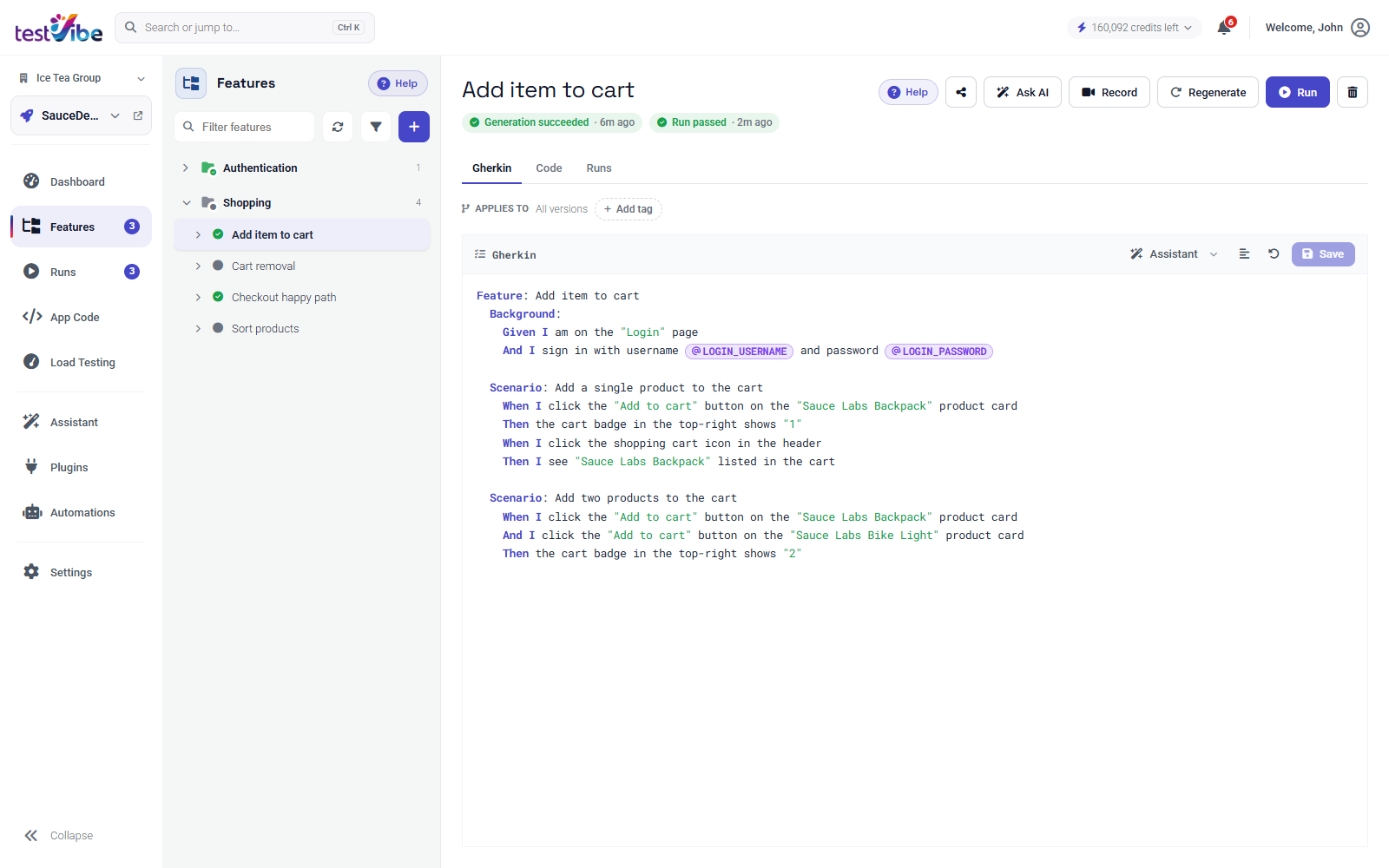
3. Generate. TestVibe's generation agent opens your app in a sandboxed browser, walks the actual flow, and writes Playwright code grounded in what it saw — real selectors, real waits, web-first assertions. It verifies the test against your site before calling it done. Tests that can't be verified are marked failed honestly, not handed to you as green mystery code.
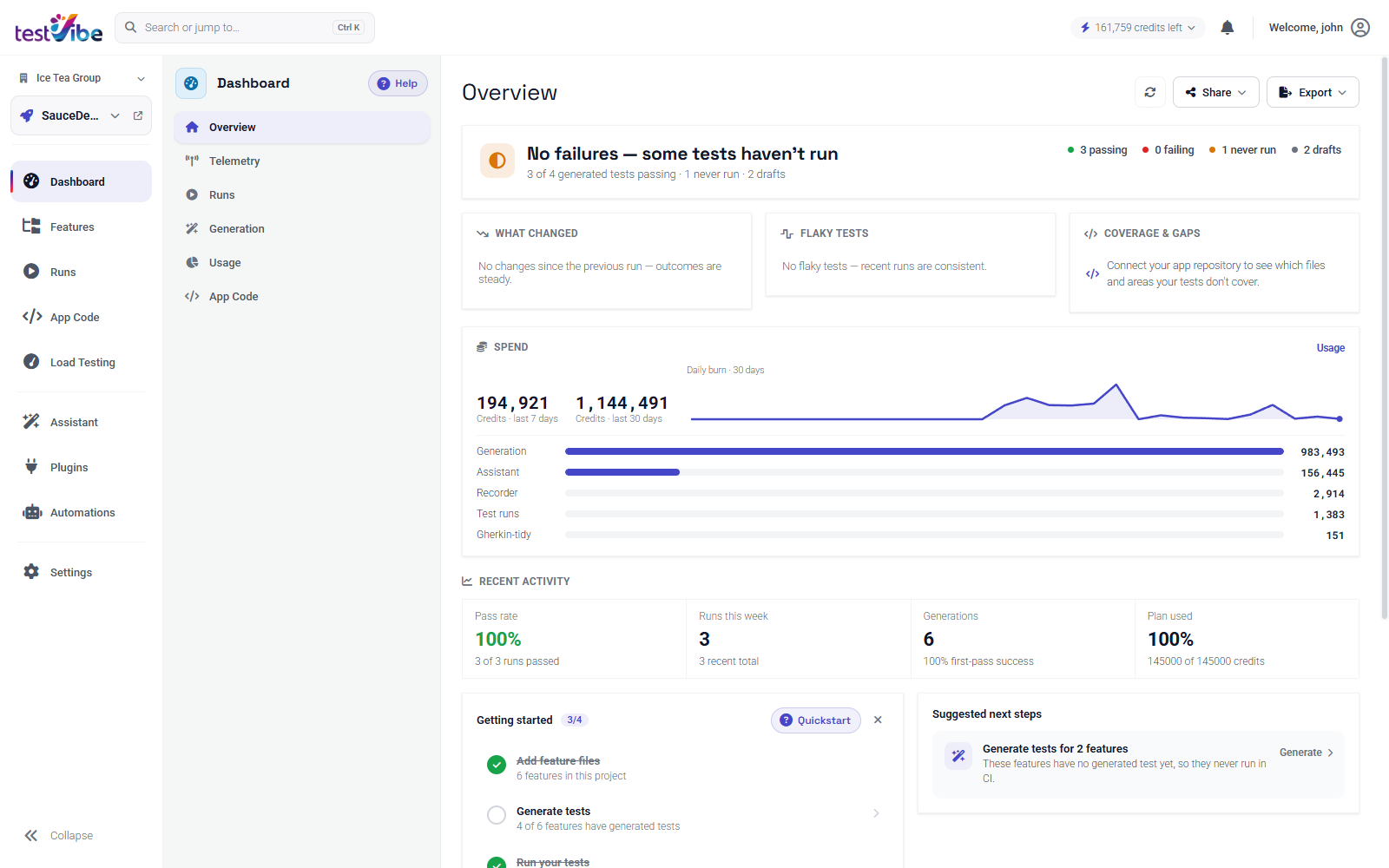
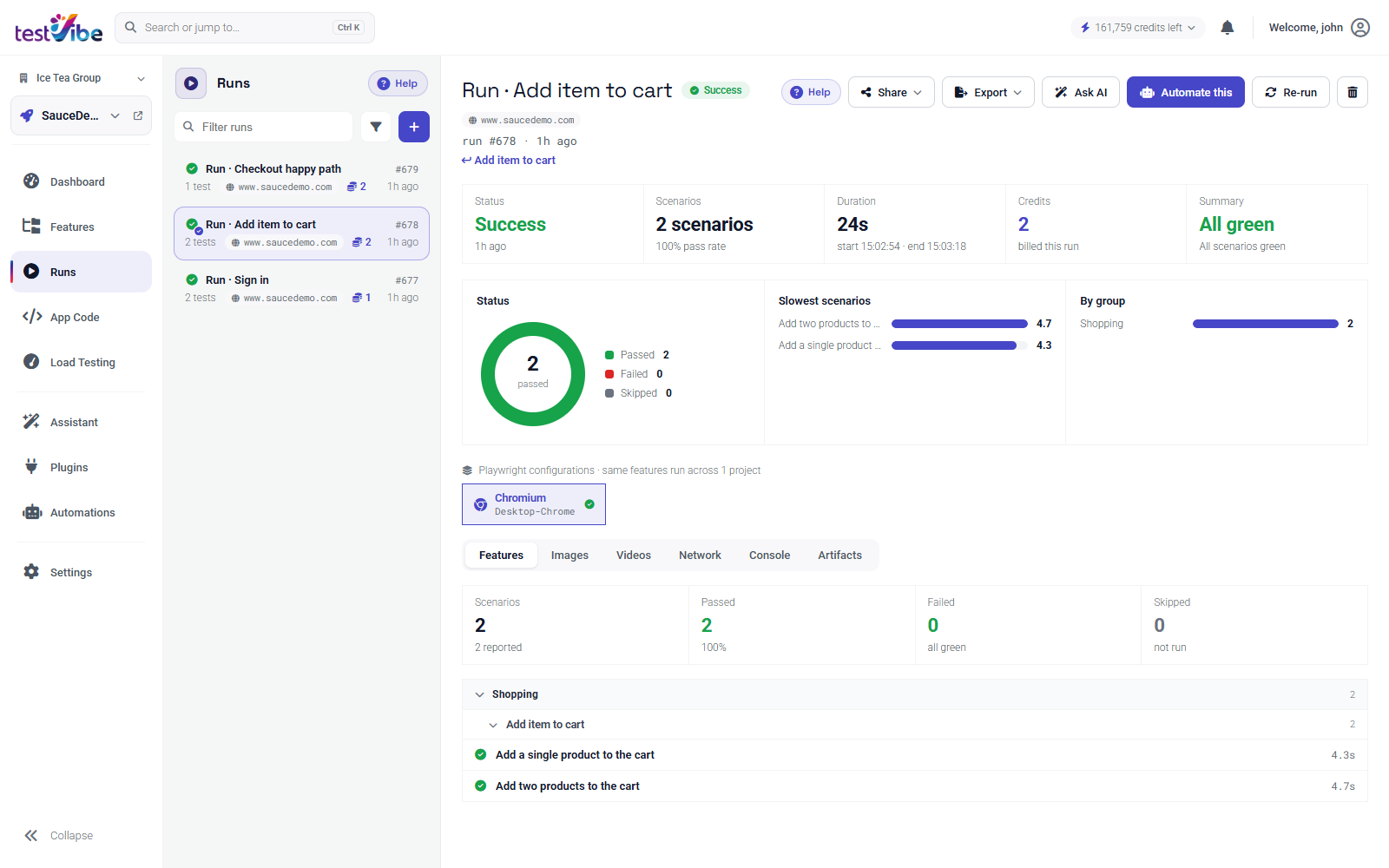
4. Run, and get evidence — not just a checkmark. Runs execute in isolated cloud sessions with the browsers, viewports, and configurations you choose. Every result comes with per-scenario status, timings, screenshots, video, and a full Playwright trace you can open when something fails. A dashboard rolls it up: pass rate, what changed since the last run, flaky-test detection, slowest scenarios.
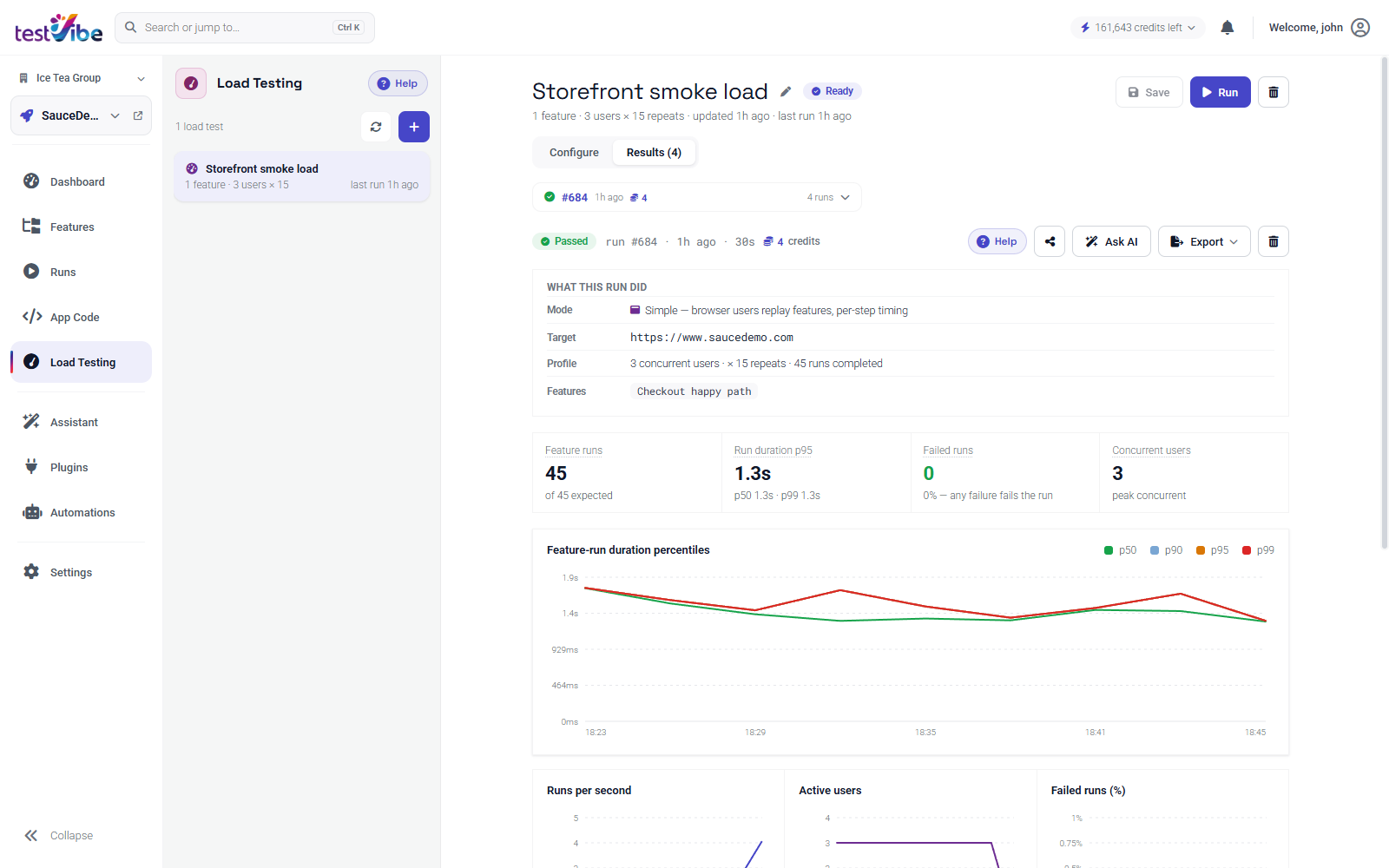
5. Load-test the same journeys. This is the part we haven't seen anywhere else: the tests you just generated double as load-test journeys. Replay them with concurrent browser users — or run protocol-level k6 scripts — and watch latency percentiles, throughput, failure rates, and live telemetry from your own servers charted in real time. Functional coverage and performance coverage stop being two separate projects.
Built for the whole loop, not just the demo
- Automations run features or load tests on a schedule or on events — your suite becomes CI without a CI file.
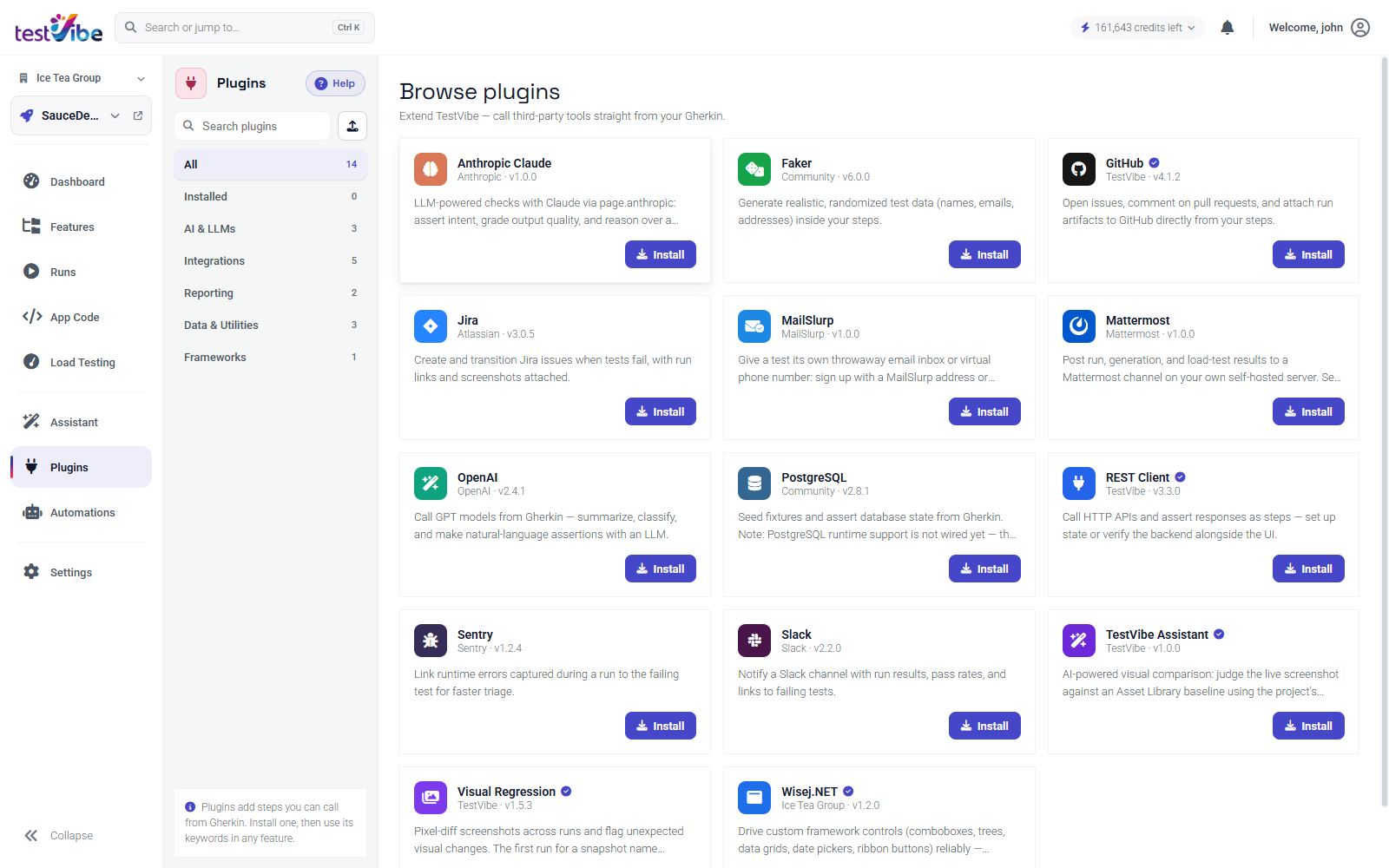
- Plugins extend steps from your Gherkin: throwaway email inboxes and SMS numbers for OTP flows, database assertions, REST calls, Jira and Slack notifications, visual regression, LLM-powered content checks.
- Two-way Git sync exports your test files to GitHub, GitLab, or Azure DevOps and picks up edits made there — Git stays optional, never required.
- An ops surface for engineers: a CLI, REST API, and MCP server so agents and pipelines can create features, dispatch runs, and read results programmatically.
- Isolation by default: every generation and run happens in its own sandboxed cloud session with a locked-down egress allowlist. Your app credentials live as masked variables and secrets, never in test code.
From the team behind Wisej.NET
TestVibe is built by Ice Tea Group, the company behind Wisej.NET — the full-stack web framework that .NET teams have used to build and modernize serious line-of-business applications for nearly a decade. Years of watching real enterprise apps break in the field taught us exactly where UI testing falls apart: complex, stateful screens; long transactional flows; teams with more domain knowledge than test-automation specialists.
TestVibe is framework-agnostic — it tests anything with a URL, whatever it's built with. And if that happens to be a Wisej.NET app, there's a first-party plugin that makes its custom controls (data grids, trees, comboboxes, ribbon bars) reliably testable out of the box.
Join the alpha
TestVibe is in early access, and we're onboarding teams now. The golden path is genuinely short: sign in, create a project with your app's URL, describe one behavior, hit Generate, and watch a verified Playwright test run against your site — evidence attached. Then hit the Load tab and see the same journey survive thirty concurrent users.